25BD APK — Slots, Fishing & Cricket Betting in One Download
Install the 25BD app, just 41 MB, and deposit directly with bKash or Nagad. Runs on any Android 6.0 phone or later, and uses little data.
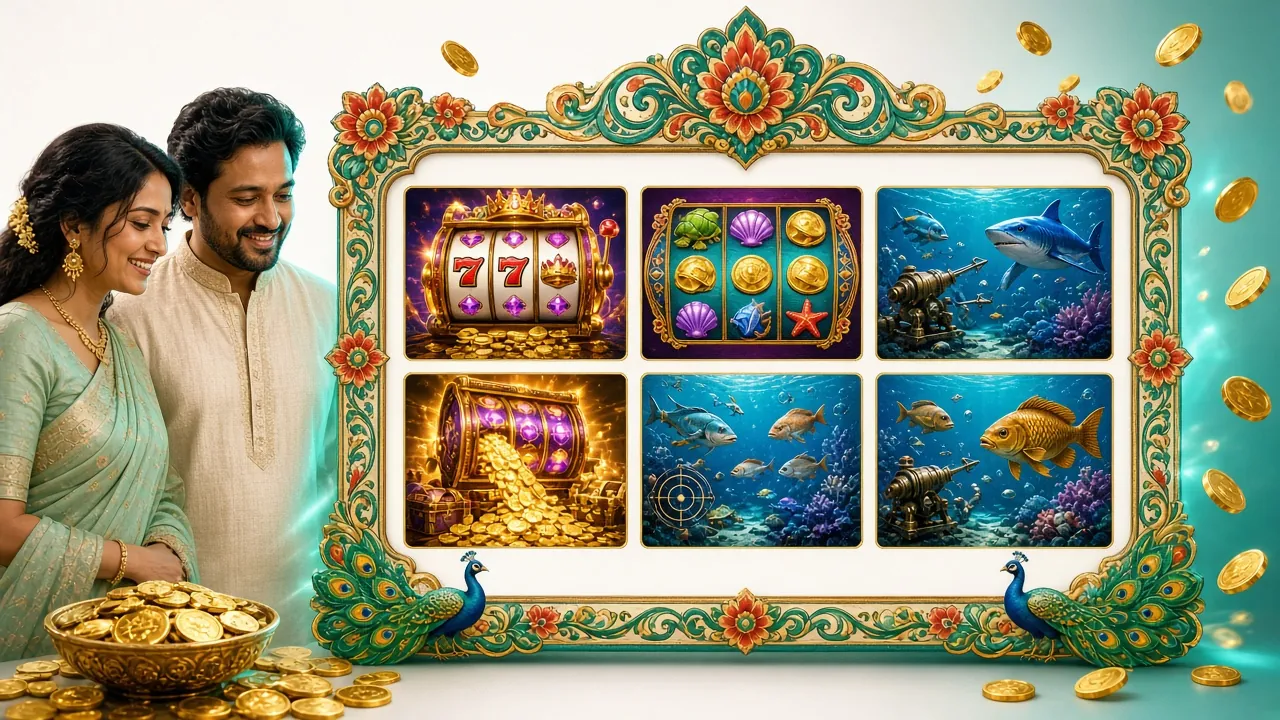
APK File — Direct Download & Full Details
Tap the green button below and the file will download straight to your phone. After the download, follow the install steps.
Download File
Download 25BD APKOnly download from 25-bd.cam. Do not use APK files downloaded from third-party sites.
| Info | Details |
|---|---|
| Version | ৩.১.১০ |
| File Size | ৪১ MB |
| Minimum Android | ৬.০+ |
| Last Updated | ২০২৬-১১-১৬ |
| Price | Free |
| Language | Bangla / English |
| iOS | Browser Shortcut (see below) |
iPhone or iPad — add a shortcut to your Home Screen
The 25BD app is not on the Apple App Store, but if you add the site from Safari to your Home Screen, you get an app-like experience.
- On iPhone or iPad, open Safari and go to 25-bd.cam.
- Tap the Share icon () in the middle at the bottom of the screen.
- Choose "Add to Home Screen".
- Don't change the name — tap "Add" directly.
- The 25BD icon will appear on your Home Screen. Tap it to open the site full screen.
Play in the App Now
After you download the 25BD app, you can play the games below right away — no browser loading needed.


To play 2,300+ more games, check the casino lobby.
How to Install 25BD APK — Step by Step on Android
On Android, you need to allow "unknown sources" once to install an APK outside the Google Play Store. Follow the steps below.
-
Turn On Unknown Sources
Open your phone's Settings → Security (or Privacy). Turn on the "Install unknown apps" option. On Samsung phones, it may be under Settings → Biometrics and Security. On Android 8+ phones, you need to give permission separately to your download manager or browser.
-
Download APK File
From your phone's browser, go to the 25-bd.cam/25-bd-apk/ page and tap the "Download APK" button. The file will save to your Downloads folder. Make sure the file name is 25-bd.apk and the size is around ৪১ MB.
-
Install from File Manager
Once the download finishes, tap the notification or go to File Manager → Downloads and open the 25-bd.apk file. Tap the "Install" button. Installation takes 30–60 seconds.
-
Open the App and Log In
After installation, tap the "Open" button. If you already have an account, Log In. If you're new, go to the Register page and create your account with your phone number. It takes just 3 minutes.
-
Make Your First Deposit
Deposit directly inside the app using bKash or Nagad. The minimum deposit is ৳450. Deposits are usually credited in about 4 minutes. For details, see the 25BD Deposit Guide.
What Do You Get in the Mobile App?
The 25BD app is more than a browser shortcut. It offers some extra features that you can't get directly on the website.
-
Quick Login Log in once and you'll stay logged in automatically next time. No need to type your password again and again.
-
Deposit and Withdraw Right Inside the App bKash, Nagad, Rocket and Upay are all linked directly in the app. No need to switch browsers.
-
Slots, Fishing and Card Games Together Mahjong Ways, Andar Bahar, Lucky Gods Fishing. You can play every game right from the app home screen.
-
Cricket and Sports Betting Live odds update while the match is on. Get notifications during the BPL and T20 seasons.
-
Push Notifications Get bonus offers, deposit confirmations and withdrawal completion alerts straight to your phone.
-
24/7 Live Chat Support Chat with our support team right inside the app. We'll help you sort out any issue.
Will You Play in the Mobile Browser or Install the 25BD APK?
You can use 25BD either way. Check the comparison below to see which one suits you better.
| Topic | 25BD APK (App) | Mobile Browser |
|---|---|---|
| Loading Speed | Faster, uses less data | Page reload needed |
| Mobile Data Use | Relatively low | Higher (full page loads) |
| Push Notifications | Yes | No |
| Auto Login | Yes | Lost if cache is cleared |
| Installation Needed | Yes (once, 41 MB) | No |
| iOS Support | Home Screen Shortcut | Full support |
| Access to All Games | Yes | Yes |
| Who It's Suited For | Regular players | Occasional visitors, iOS users |
What Permissions Does the App Ask For, and Why?
During installation, the app will ask for some phone permissions. Below is a clear explanation of what each permission is used for.
Internet Access
A connection is needed to load games and process deposits and withdrawals. The app won't work if this is turned off.
Notifications
Used to send bonus offers, transaction confirmations and match updates. You can turn it off anytime from settings.
Storage Read/Write
Used to save game cache and account settings. It does not access your photos or files.
Network Status
If the connection drops, the app shows a warning and pauses the game so your bets aren't lost.
Camera / Microphone
This app does not ask for camera or microphone permission. If you're asked, don't allow it.
Only Download from 25-bd.cam
Downloading from third-party APK sites doesn't guarantee a genuine file. Always download from the official site.
Stuck on install? Fixes for five common problems
The table below covers the most commonly reported install problems and how to solve each one.
| Problem | Likely cause | Fix |
|---|---|---|
| Install keeps getting blocked | Unknown sources permission is turned off | Go to Settings → Security → turn on "Install unknown apps" |
| "Parse error" or the package won't parse | Incomplete download or Android below ৬.০ | Delete the file and download it again. Check your Android version |
| Storage space warning | Not enough free space on the phone | Delete old apps or photos to free up at least ১০০ MB |
| App installs but won't open | Low phone RAM or a cache problem | Restart your phone. Settings → Apps → 25BD → Clear cache |
| You can't log in | Weak internet connection or wrong password | Check your internet. If the password is wrong, reset it from the login page |
Everything you want to know about the 25BD APK
Answers to the six most-asked questions are here.
০১ Is the 25BD APK safe?
০২ I get a "Blocked by Play Protect" message while installing — what should I do?
০৩ How do I update the app?
০৪ Can I deposit straight from bKash inside the app?
০৫ Can I install the 25BD app on an iPhone?
০৬ Is the app free? Are there hidden charges?
Download it and get started today
Install the 25BD APK and deposit ৳৪৫০ with bKash or Nagad — you'll be playing within moments.